DimFlow
A downloadable tool for Windows
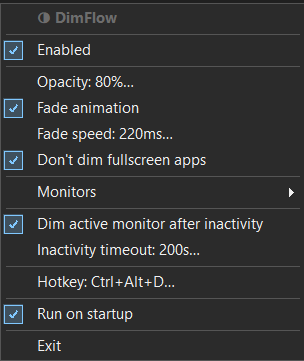
- Prevents image burn-in — reduces static image retention on OLED and VA panels without turning monitors off or disrupting your window layout
- Dims inactive monitors instantly — the moment focus leaves a screen, it dims to your chosen opacity
- Smooth fade animation — adjustable fade speed so transitions feel natural, not jarring
- Per-monitor control — set each display to dim immediately, after inactivity, or never
- Fullscreen protection — never dims a monitor running a fullscreen app or game
- Configurable opacity and inactivity timeout — dial in exactly how dim and how quickly
- Global hotkey toggle — disable and re-enable DimFlow without touching the tray
- Respects your Windows theme — tray menu automatically matches dark or light mode
- Runs silently in the system tray — no window, no dock icon, near-zero CPU and memory usage
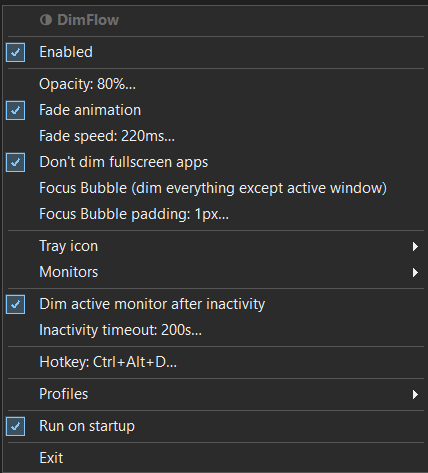
- Focus Bubble mode — dims everything except the active window, even on the same screen
- Multiple profiles — switch between setups for work, gaming, or media
- Tray icon options - choose which icon to display in the system tray
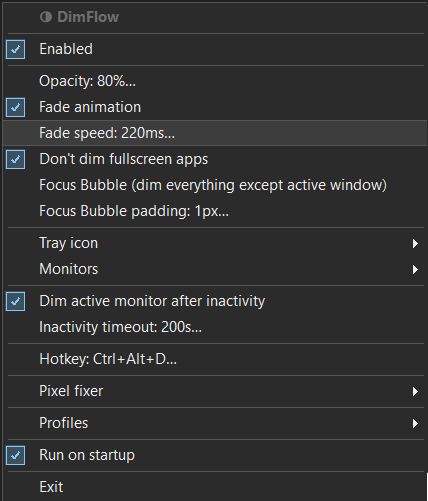
- Bonus Icons - six additional icons
- Built in pixel fixer you can run on any monitor independently.
- Future features adds
Download
Click download now to get access to the following files:
Development log
- DimFlow - Dim Inactive MonitorsMar 15, 2026
Leave a comment
Log in with itch.io to leave a comment.